Onion routing is a privacy-focused technology designed to hide your online activity from trackers, websites, and internet service providers. It works by encrypting your internet traffic in multiple layers and routing it through a network of randomly selected relays, making it extremely difficult to trace your activity back to you. This technology powers the Tor network and is widely used by journalists, activists, and privacy-conscious users.
In this guide, we’ll break down how onion routing works, when it’s safe and practical to use, and when simpler privacy tools like a VPN might be the better choice.
What’s onion routing?
You can understand onion routing by imagining how a truly anonymous letter would work. Mailing it normally yourself is out of the question the postmark gives you away in an instant. The fix? You’d need intermediaries, in this case, three envelopes are needed.
You’d seal the letter inside the first envelope, and address it to a colleague you trust that’s in another city. You placed the envelope inside of another envelope, addressed to yet another individual with a different name; then finally; the last envelope which contains the main letter, addressed to another person in a different location.
As each one of those envelopes are opened, they see an envelope with a different name/address inside, and they continue to pass it on. This second contact does the same, sending the innermost envelope to the true recipient.
No single person in this chain knows both where the letter started and where it ended up. Onion routine replicates this digitally, using successive layers of encryption instead of physical envelopes. Your original data is wrapped in these layers, each layer only being unpeeled by a specific, dedicated computer on the network, called a relay or node. Once one layer is unpeeled, that particular node gets directions for where to send the bundle next—still encrypted data.
The core concept of onion routing wasn’t born in a public forum or a tech startup. It started in the 1990s from the US Naval Research Lab (NRL), where three computer scientists, Michael G. Reed, Paul Syverson, and David Goldschlag were trying to tackle how intelligence agents could communicate over the public internet without being watched or revealing their location. The solution they found was the onion routing protocol, a military grade tool for anonymity.
The NRL later open-sourced the technology in the early 2000s, which paved the way for what we now know as The Tor Project. Millions of people today use it for everything, from circumventing censorship to carrying out research on sensitive topics that are to be kept away from public view.
Onion routing at a glance
Here’s a simple look at what onion routing is all about and why it’s cool:
| Feature | Description | Key benefit |
|---|---|---|
| Layered encryption | Data’s wrapped in layers of encryption, like an onion. At each relay, the wrap peels off one layer at a time. | No one single relay ever knows both the initial play the data came from, and the final destination of the decrypted content. |
| Decentralized network | Uses a global series of relays (Entry, Middle, Exit) operated by volunteers. | The lack of any control point or a single point of weakness at all makes it extremely difficult to destroy the entire operation. |
| Anonymity | Hides the user’s real IP address so the destination server can’t identify it. | Websites you visit and anyone observing can’t know your identity. |
| Latency | Slower than a standard connection because the data has to hop through multiple relays and encryption processes. | The slow speed is the tradeoff you have to make for top-notch privacy and protection against people snooping on your data. |
How onion routing works step by step – Your data’s three-hop journey
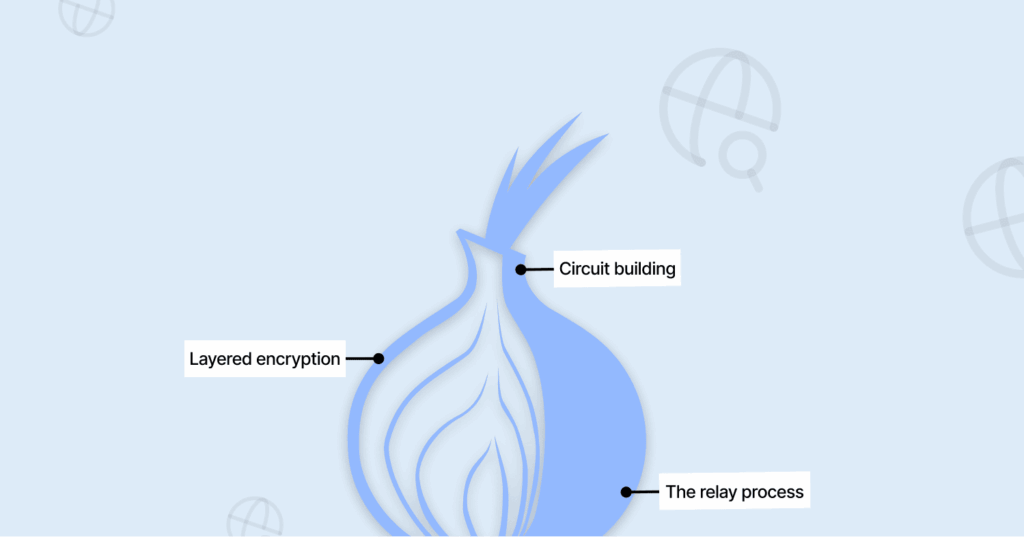
Let’s take a closer look at the processing of your data and how it flows through onion routing until it reaches its final destination.
- Circuit building: When you utilize an onion routing client (Ex, a Tor Browser), you do not establish a direct connection between your computer and the site that you wish to visit. Instead, your internet bounces around through three randomly selected computers, which people call nodes. First comes the Entry Guard, then the Middle Relay, and finally the Exit Relay, all of which are run by volunteers.
- Layered encryption: Now, here’s where the “onion” bit kicks in. Your browser wraps your data in three layers of encryption, kind of like nesting dolls, but with code. First, it seals it up for the Exit Relay, then it wraps that whole bundle for the Middle Relay, and finally, it throws one more layer on top for the Entry Guard.
- The relay process: When your data hits the entry guard, it peels off the first layer and learns, “Okay, next stop is the Middle Relay at this address.” The Entry Guard knows your real IP, but not where you’re trying to go.
The Middle Relay gets the package, strips off its layer, and finds out, “Send this to the Exit Relay at that Y address.” It has no clue who started any of this or where the info is actually going.
The Exit Relay takes off the last layer and sees the real request like “get me https://www.example.com,” and then sends it on to the internet. The Exit Relay knows what you’re asking for, but it has no clue who you are.
To whoever runs the website, the request looks like it came from the Exit Relay’s IP, not yours. That’s how onion routing shields your identity as your traffic moves through the network. This is the heart of how onion routing works.
The whole setup started with research at the U.S. Naval Research Lab, and you’ll find the technical details in the original onion routing paper. These days, the nonprofit Tor Project keeps it running.
Why choose onion routing? The major pros
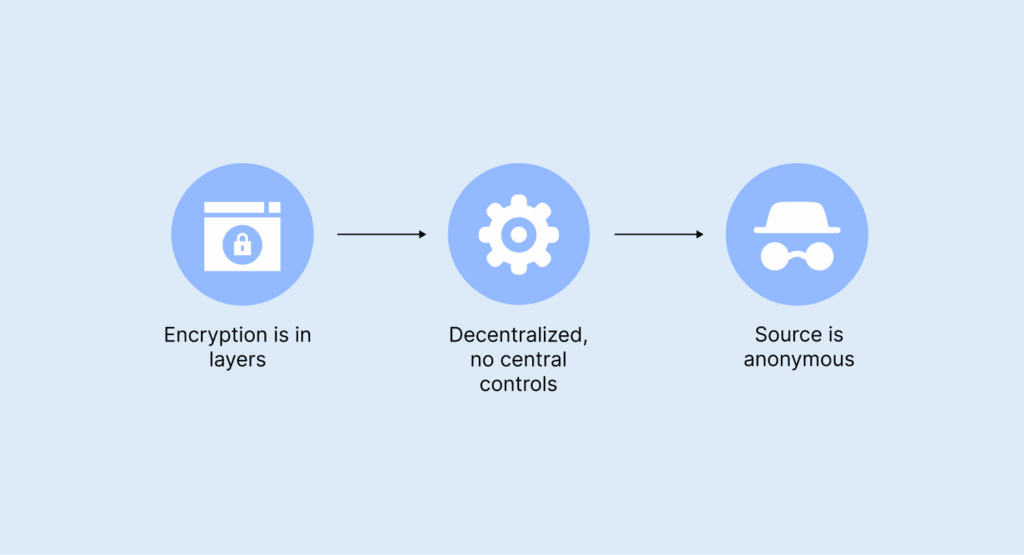
Onion routing does a bunch of things you just don’t get with regular online privacy services. Here’s what’s cool about it:
- Encryption is in layers: Think of your data like an onion – it’s not just encrypted once, it’s secured multiple times. Each step along the way only removes one layer, so no one sees everything. No single relay knows both who you are and where you’re going.
- Decentralized, no central controls: The whole thing works because of thousands of volunteers spread all over the world. In the year before last, Tor had over six thousand relays and two thousand bridges. Since there’s no one server in charge, it’s pretty much impossible to shut the network down.
- Source is anonymous: When you visit a site, your real IP address stays hidden. The site just can’t see it.
- The destination of your traffic/data stays hidden: If you use a .onion (hidden services) site, it goes a step further — you can’t see where the website is hosted, and the website can’t see where you’re coming from. All the traffic stays inside the Tor network, so both sides stay anonymous.
- No one can eavesdrop on you: Worried about someone watching your internet connection? They’re out of luck. Even if someone watches your local network or any relay, all they see is a bunch of encrypted stuff. They can’t read your messages or see where they’re headed.
- Trustless operation: You don’t need to put your trust in any single company or server. Your privacy depends on the odds that no single person controls every relay in your path — and with so many volunteers, that’s a pretty safe bet.
- Onion routing lets people sidestep censorship: By bouncing traffic across different countries, folks living under strict internet rules can break through firewalls and actually reach the open web.
Real-world uses of onion routing: Beyond the dark web stereotype

When most people hear “Tor,” the first thing that comes to mind is shady corners of the internet. But that’s far from the whole thing Tor is about, and to be sincere, it misses the mark. Onion routing is much more than a backdoor for dark web activity. Many around the world depend on its anonymity for privacy and for staying safe online.
So, here are some real legit cases where it matters the most:
1. For journalists and whistleblowers
Tor’s been a real lifesaver for many journalists. Take, for example, the Ukrainian war with Russia: reporters in media houses like the Kyiv Independent use the Tor network to share news and communicate securely on the front lines without enemy soldiers tracking their location.
Big news platforms like The Guardian, The New York Times, and ProPublica all use SecureDrop on Tor to ensure whistleblowers send intel securely about abuse of power, wrongdoings, or any not-so-good happenings in the government.
The Panama Papers investigation? That blew open because sources used these secure tools to leak millions of documents, all while keeping their identities secret. Even social media like Facebook, X, and others have .onion sites that people in censored regions can access without hindrance.
2. Circumventing government censorship
In countries like Iran and China, where the government put systems in place to monitor and control what people do online and the sites they visit, onion routing and Tor are a lifeline. With it, the citizens in such places are able to dodge these firewalls and access media like the BBC without Big Brother breathing down their necks.
Apps like Ricochet are great for private chats without Big Brother watching. That’s how many over there are able to report human rights issues without the fear of landing themselves in trouble. For many, Tor isn’t just a way to surf the web; it helps them have free access to the internet.
3. The privacy of sensitive searches on a daily basis
There are certain things that we all search for and would prefer not to see on a massive advertising profile, including medical information, mental health issues, addiction assistance, or financial issues.
Using the Tor Browser, your ISP, Google, and the Data Brokers have no access to viewing your searches. Therefore, you can never have targeted advertisements served to you based upon those searches, nor can those searches ever be leveraged against you.
4. Crime investigation & law enforcement
Many people may not know that the Tor network is often used for legal purposes by law enforcement agencies and federal agencies like the FBI. Many federal agencies maintain websites on the Tor network to receive anonymous tips.
In addition to this law enforcement use, many investigative professionals use the Tor network to browse for information within the various black markets and criminal forums, access extremist content, and gather intelligence regarding illegal behaviours without revealing their identity as government officials.
More recently, academic researchers, malware researchers, and researchers are using the Tor Browser to be able to study the hacker community more closely, often relying on specialized dark web search engines to navigate these obscured spaces for their work.
5. Onion routing for your safety
Onion routing is a fantastic way to have conversations without leaving any traces—this isn’t only for web browsing, but also for communication. For example, the Tor Messenger app Ricochet allows users to conduct anonymous conversations using the .onion routing, and users chat without revealing their real identities.
For many people in danger (i.e., victims of domestic violence, LGBTQ+ people living in dangerous areas, activists), onion routing provides an additional layer of privacy and safety that can actually mean the difference between life and death.
Onion routing is a tool that can provide protection for many types of people, such as journalists in hiding, anyone seeking out sensitive health-related content, and those who need to protect their identity. With this functionality, onion routing provides significant security when it comes to obtaining private information.
Onion routing vs VPN? Which tool should you use?
For quite some time, people have debated whether onion routing or a VPN is a better way to keep their information private. While both of these solutions keep your data secure and anonymous, they solve two different types of problems. Here you will find different factors to keep in mind regarding which onion routing solution or VPN solution will provide the best protection for you:
| Feature | Onion Routing (Tor) | Virtual Private Network |
|---|---|---|
| Primary goal | Want total anonymity, keeping your identity hidden from websites and anyone watching your traffic? Onion routing does the job. Your information hops through three independent volunteer nodes, it’s difficult to track you. | Use VPN if you only want privacy on public networks (like using an encrypted tunnel for your public Wi Fi) or to make it seem like you’re in a different location. A VPN will offer you one direct tunnel that’s secured all the way to the server you select. |
| How it works | Multihop, decentralized network – data passes through 3+ random volunteer nodes. | Single-hop, centralized service; data goes through one encrypted tunnel to a server you choose. |
| Trust model | Distributed. No need to trust a single entity. | Centralized. Requires absolute trust in your VPN provider’s “no-logs” policy. |
| Speed | Slow — the multi-hop process adds significant latency. Not ideal for streaming or calls. | Fast, with minimal speed loss. Great for HD streaming, gaming, and downloads. |
| Cost | Free | Usually requires a paid subscription for reliable service. |
| Best for | Whistleblowing, avoiding heavy censorship, accessing .onion sites, and sensitive research. | Securing public WiFi, accessing geo-blocked content (Netflix, etc.), and general private browsing with speed. |
You can think of a VPN as a direct tunnel to an office —VPNs are speedy, private means to connect to the Internet. However, the operator of the tunnel knows exactly who you are and what sites you visit/browse.
Onion Routing, on the other hand, would allow you to drive in 3 different cabs at random and pay each cab driver in cash while changing your clothes multiple times throughout your journey. In contrast to VPNs, this method would involve greater delays, and only one cab driver would not see the entire route taken.
The hybrid approach: Onion over VPN
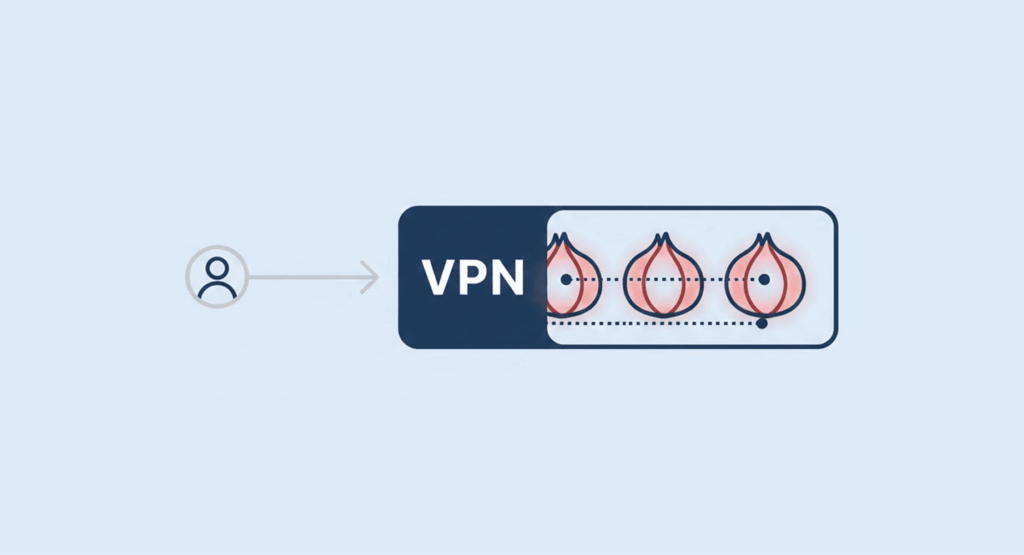
Some people opt for a combination of both VPNs and Tor in order to provide added protection for their Internet activities.
The process is simple: users connect to their VPN before launching their Tor Web Browser. This allows the user’s Internet Service Provider (ISP) not to know that they are using Tor; therefore, between the user and the Tor Network, the VPN serves as an added layer of security. Sounds solid?… Well, there’s a catch.
You’re putting some trust in your VPN provider again, and honestly, this setup can drag your connection speed down even more.
So, what’s driving you to try these tools?
- You want maximum anonymity for sensitive stuff.
- You’re just looking for better privacy on public WiFi.
- You want to unlock content that’s blocked in your area.
- Or maybe you’re just curious and want to understand how all this works.
At the end of the day, it all boils down to why you need these tools, not which one’s fancier.
Tor Vs I2P: The difference between garlic routing and onion routing
Tor gets all the attention when people talk about onion routing, but it’s not alone. There’s also the Invisible Internet Project, or I2P, which runs on something similar called garlic routing. From what I’ve seen, I2P really shines when you stick to its own network, great for running or using anonymous services inside that closed system, but truthfully, it’s not very easy to use for regular browsing of the web.
| Feature | Tor (Onion Routing) | I2P (Garlic Routing) |
|---|---|---|
| Routing techniques | Multiple layers of encryption that wrap around one message (like an onion). | Multiple messages are bundled together in one packet of encryption (like the individual cloves in a garlic bulb). |
| Primary focus | Anonymous access to the public internet and .onion sites. | Anonymous communication within its own network (eepsites). Clearnet access is secondary. |
| Circuit type | Bi-directional. One path for traffic to and from a destination. | Uni directional. Uses separate inbound/outbound tunnels, making traffic analysis harder. |
| Best for | Browsing the public web anonymously, accessing hidden services. | Hosting anonymous websites/services, email, and file sharing within a resilient, internal network. |
In short: If your goal is to access the wider internet anonymously, it’s better to stick with Tor onion routing. But anyone who’s more interested in setting up or using services that are anonymous by design within a private network should give I2P a shot.
Limitations and risks of onion routing
No tech is flawless. If you’re using onion routing, you’ve got to know where it falls short—or you’re setting yourself up for problems. I’ve seen the same weak spots pop up again and again.
- Let’s start with speed. That’s the tradeoff you notice right away: Tor slows down your connection because data passes through multiple encrypted relays with volunteer bandwidth. Streaming or large downloads are impractical—privacy comes at the cost of speed.
- Then there’s the exit node issue: Always use HTTPS—look for the padlock in your browser. Without it, Tor exit nodes can see everything you type. HTTPS keeps your data much safer, so never skip it.
- User error: Often, the weakest link in security is the user. Logging into accounts, opening downloaded files, or running outdated software can expose your identity—even if the tool itself is secure. Using a unique, strong password for every account via a reputable password manager is a fundamental step to mitigate this risk.
- Targeted attacks: Targeted attacks, though rare, are possible. Advanced actors—like government agencies—might try correlation attacks by monitoring both ends of the network. For most users, this isn’t a major concern, but remember: onion routing is strong, not foolproof.
- Blocked access: Many websites restrict or block access from the Tor Browser. You may encounter CAPTCHA, access-denied messages, or pages that fail to load. This happens because some Tor users abuse the network, leading websites to block Tor exit node IP addresses.
- Software exploits: Tor Browser isn’t completely immune to exploits. While updates patch vulnerabilities, attackers could still find unknown weaknesses. Always keep Tor Browser updated to the latest version.
- Raising suspicion: Simply using Tor can draw extra attention from your ISP or government. While Tor is legal in most countries, users are often flagged for closer scrutiny.
Onion routing and the dark web: How are they connected?
You’ve probably seen “dark web” pop up next to Tor in conversations or headlines. But many of us still mix it up – Onion routing is the tech that powers Tor, and without it, there’s no dark web.
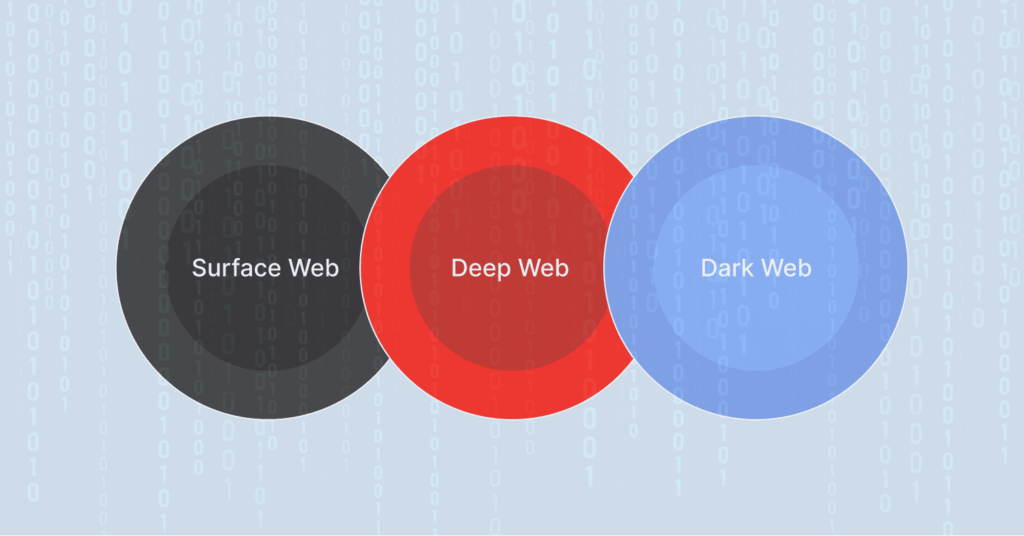
To really get how they’re linked, let’s imagine that the internet has three layers, each stacked on top of the others.
- Surface Web: This is your everyday internet—Google, Facebook, news sites. Anyone can find and visit these pages.
- Deep Web: It’s still part of the normal internet, but it’s tucked behind logins—like your email inbox or your bank account. These sites exist in plain sight, but you need a password to get in.
- Dark Web: This is a much smaller, hidden slice of the deep web. Google can’t find it, and you can’t just type in a link on Chrome or Safari. You need special software. Tor is the main one.
So how do “hidden services” or .onion sites work?
Here’s where Tor’s real magic happens. Onion routing doesn’t just keep your location secret; it can also hide where a website lives. These sites, called Onion or Hidden Services, use .onion addresses. Basically, the server uses the Tor network to set itself up with these intro points, so it can stay hidden without showing its IP address.
When you want to visit a .onion site, Tor builds a private path straight to those introduction points. Your connection stays inside the Tor network the whole time.
What does this get you? It hides the server’s real location and IP address. Whoever runs the site stays protected. The .onion address itself is cryptographic proof you’re in the right place. When you connect, you know you’re talking to the genuine service—not some scam copy. Honestly, that’s sometimes more assurance than you get on the regular web.
The bad and good sides of dark web anonymity
Anonymity is great; we mean, who doesn’t love flying under the radar in today’s digital world where eyes are watching in every corner? But there’s a catch, though. This kind of strong anonymity is like a double-edged sword; there are some benefits and some drawbacks, too.
It lets whistleblowers send tips safely to journalists (that’s where services like SecureDrop come in handy). Activists and reporters can safely get around in dangerous places, without getting ‘marked for execution.’ Because the dark web is anonymous, bad guys can hide there and buy and sell in illegal marketplaces and do other shady stuff.
Millions of people access the dark web on a daily basis, and according to statistics, illegal activities, like drug trafficking, sales of stolen credentials, etc., happen a lot on the dark web, and they generate hundreds of millions every year.
However, using Tor does not inherently signify that a user is visiting the dark web; many users simply wish to maintain an additional layer of privacy in their online presence. Visiting a .onion site is a deliberate step. That’s the real difference—you have to choose to cross into the hidden corners. Knowing that helps separate the tool from how people use it.
Is using onion routing legal?

In most democratic countries, yes—using privacy tools like Tor Browser is totally above board. Journalists use it, activists rely on it, law enforcement checks things out with it, and plenty of regular folks just want a little privacy online. They’re all using Tor legally.
Now, onion routing—that’s the tech behind Tor, also powers the so-called “dark web.” The dark web works simply: all its sites use .onion addresses, which you can access only through Tor or similar software.
The dark web offers a way for whistleblowers to communicate anonymously and for people who disagree with their government to exist outside of government control, but it is also a wide-ranging area of the internet where many illegal activities occur.
This link to the dark web sometimes makes people suspicious. Just using Tor might get your internet provider’s attention, or even raise red flags in more authoritarian countries. In summary, Tor itself is not illegal to use; it’s how you use it and what you do with it that matters. If you’re using it for illegal activities, the law will most likely catch up with you soon.
How to use onion routing safely

If you determine that Onion Routing suits your needs, here’s a simple and practical way to use it safely, based on my experience and the best practices of OPSEC professionals:
- Downloading the right app. Tor Browser is usually the best choice—it’s based on Firefox but focused on privacy. Always download it directly from the Tor Project’s official site, and verify the digital signature if possible.
- Use the Tor Browser: Tor Browser handles all routing securely. Don’t use it to tunnel traffic from other apps like Gmail or gaming platforms, as this greatly increases the risk of leaking your real IP. Use Tor Browser on its own only.
- Always look for HTTPS at the website. A website that doesn’t use HTTPS exposes your data. Anyone monitoring the Tor exit node can view unencrypted traffic. No encryption means no privacy. Always check for https:// and the padlock icon. While Tor Browser tries to enforce HTTPS, it’s best to verify it yourself.
- Don’t expect speed in the Tor network. Tor is usually slower than your regular internet. Got plugins like Flash or Java in your browser? Disable them, else they might mess up Tor’s security. For added security, go to Tor settings and tune up the Security Slider to ‘Safest’.
- Want more privacy: Connect to a trusted VPN, then open Tor Browser. This hides your Tor usage from your ISP, which will only see VPN traffic. While the VPN may still detect Tor use, it’s more private than direct access. Our guide on onion over VPN delves into the pros, cons, and precise setup for this method. Expect slower speeds due to the added routing layers.
- Bypass censorship. You can bypass country-level restrictions by using a Tor bridge. Bridges are non-public entry nodes, making them harder to block. Request bridge addresses through Tor Browser’s connection settings to access Tor in restricted regions—just use it cautiously to stay safe.
- Stay hidden: Hiding your location doesn’t automatically make you anonymous. To stay private on Tor, avoid logging into personal accounts like Facebook or Gmail—doing so links your real identity directly to that Tor session.
Stick to these tips and you’ll be all set using Tor and can safely explore legitimate resources, including those listed in our roundup of the best dark web sites.
What we recommend: Choosing between onion routing and alternatives
Use Tor (Onion Routing) if avoiding censorship and getting maximum anonymity while doing research on sensitive subjects is a priority for you, accessing Tor (.onion) sites is something that interests you, and you want to maintain maximum anonymity while communicating with others.
For streaming, gaming, or any activity that requires speed, bypassing geoblocks, or browsing on public WiFi, use a reputable VPN. If you want to host something anonymously, run a service on a private network, or explore decentralized networks, use I2P.
FAQs
Tor helps protect your anonymity, but it’s not foolproof. Logging into personal accounts like Facebook or Instagram can immediately reveal your identity.
Websites see tons of traffic from Tor because lots of people are using the same exit nodes. Websites use those annoying CAPTCHA to stop bots and spam, which, sadly, can mess things up for regular people. You can try clicking New Identity in the Tor Browser; sometimes that helps.
Oh, absolutely, you can use Tor on your phone. Android folks, just grab the Tor Browser from the Play Store—easy. If you’re rocking an iPhone, you’ll want the Onion Browser, which the Tor Project approves. Just be extra careful, since phones usually have a lot of apps that can identify you.
Using a VPN with Tor isn’t inherently more secure, just different. The VPN hides your Tor use from your ISP and protects your IP from Tor entry nodes, but the VPN can still see your activity. It’s a matter of choosing whom to trust; for most users, Tor or a VPN alone is sufficient.