-
Some streaming services on Roku are unavailable in some geographical regions due to extensive geo-blocks.
-
With a reliable VPN service, you can easily unblock your beloved content on Roku from anywhere.
-
Our overall best VPN choice for Roku is NordVPN.
The Roku platform has been around for several years and has redefined the streaming experience by allowing streaming enthusiasts to access popular streaming platforms like Amazon Prime, Netflix, Pandora, and Disney+ in a single place.
Streaming services often offer different content in various regions due to copyright and licensing policies. However, you can access your favorite content using the best Roku VPN.
We have compiled a list of the top VPN services to let you access multiple streaming sites’ libraries while providing security and improving your device’s speed.
Top VPNs for Roku – Quick list

| VPN NAME | WHAT MAKES IT SO AMAZING? |
|---|---|

|
NordVPNOur overall top-rated VPN for Roku, offering impressive performance and maximum security. |

|
ExtremeVPNBudget-friendly VPN service that offers a top-notch security and optimized servers for a smooth streaming experience. |

|
SurfsharkBudget-friendly VPN service for Roku, with excellent speed levels and unlimited simultaneous connections. |

|
ExpressVPNTop performing VPN with the most number of servers for streaming, gaming, or torrenting. |

|
Proton VPNFree VPN with great customizable features and impressive performance. |
Quick guide to using VPN on Roku

Here’s how to use a VPN to access your favorite content libraries from anywhere in the world on Roku:
- Select a reputable VPN and subscribe to a suitable plan. We recommend NordVPN as it offers privacy, security, and a vast network of servers.
- Install a VPN on your Wi-Fi router. Ensure you carefully connect your Roku device to the router.
- Choose a VPN server and connect your device to it.
- Begin streaming your favorite shows and movies with no restrictions.
Why do you need a VPN for Roku?

The Roku device lets you stream your beloved TV shows and movies from Amazon Prime, Netflix, and Hulu. However, you can benefit more from the Roku device by using a VPN. Here is why:
- Offers more streaming content: If you are an avid Netflix user, you may know that the streaming service offers various content libraries, and sometimes you will fail to watch your favorite content. However, pairing a VPN with your Roku device will fix this issue.
- Access to streaming platforms when abroad: It can be frustrating to be abroad and find out your favorite streaming platform is unavailable in that region. With a standard VPN, you can regain full access to all your favorite platforms and their content. Not just abroad, if you try to watch Roku at a university dorm or hotel, etc., you may find it blocked on the local WiFi. That’s where a VPN for Roku helps.
- Improved speed: A reliable VPN prevents ISP throttling while streaming movies. It also encrypts your traffic and hides it from your ISP; therefore, your internet service providers cannot detect or hinder this action, resulting in faster speeds.
- Privacy: Many corporations have been called out in the past for selling user data to the highest-bidding advertisers. VPNs prevent this data heist, thereby protecting your sensitive information.
- Bypassing firewalls: If you constantly struggle with a firewall at work or school, installing a VPN is all you need. VPNs expertly overcome firewalls, thereby granting you access.
Best VPNs for Roku today – Detailed list
1. NordVPN
Features
-
 Ad blocking
-
 Kill switch
-
 AES-256 encryption
-
 Threat protection
-
 Dark web monitoring
-
 Meshnet
Pros and Cons
- Work efficiently with routers
- Offer impressive speed and unlimited bandwidth
- Effectively unblocks most streaming platforms
- Includes a smart DNS feature
- Has a 30-day money-back guarantee policy
- The VPN service doesn’t offer a free version
NordVPN is our overall best pick for a good reason. The service includes excellent privacy and security features. In addition, it unblocks all streaming services while maintaining its impressive speed.
It lets you access multiple geo-blocked content libraries on Roku. The VPN also uses NordLynx, a modern tunneling protocol that allows smooth streaming without any frustrating buffers.
Furthermore, the VPN offers robust encryption, DNS/IP leak protection, a no-log policy, and round-the-clock customer service if you are having difficulty using the VPN. Additionally, you do not have to worry about losing your money as the service has a 30-day money-back guarantee policy and allows up to 10 simultaneous connections on a single subscription.
2. ExtremeVPN
Features
-
Kill switch
-
Offers robust encryption
-
 Supports Smart DNS
-
 Obfuscation feature
-
 RAM-only servers
Pros and Cons
- Reliable server network in over 78 countries
- No logs policy
- Good connection speed
- Utilizes split tunneling
- Allow up to ten simultaneous connections
- Doesn’t offer a dedicated IP address feature
ExtremeVPN is one of the new entrants in the VPN industry and has made a great reputation in a short period because of its wide network of 6,500 servers across 78 countries. The VPN offers optimized servers with unlimited bandwidth, letting users enjoy their beloved content on Roku seamlessly.
ExtremeVPN offers robust security features like IP/DNS leak protection, perfect forward secrecy, AES-256 encryption, a no-logs policy, and a standard Kill switch.
Moreover, the VPN service is compatible with renowned operating systems like Windows, Android, iOS, macOS, and more. You can subscribe to this service for $3.29/month and secure up to ten devices simultaneously.
3. Surfshark
Features
-
 Offers a dedicated IP address
-
256-bit AES encryption
-
Has an obfuscation mode known as Camouflage mode
-
 Unlimited connections at the same time
-
 Split tunneling
Pros and Cons
- Optimized streaming servers with no data caps
- Works perfectly with Roku
- Offers unlimited concurrent connections
- 24/7 live chat support
- Has a no-logs policy
- Customer support sometimes takes time to respond
Surfshark is widely regarded as a great Roku VPN because of its fast servers, unique premium features, and ability to unblock various streaming platforms.
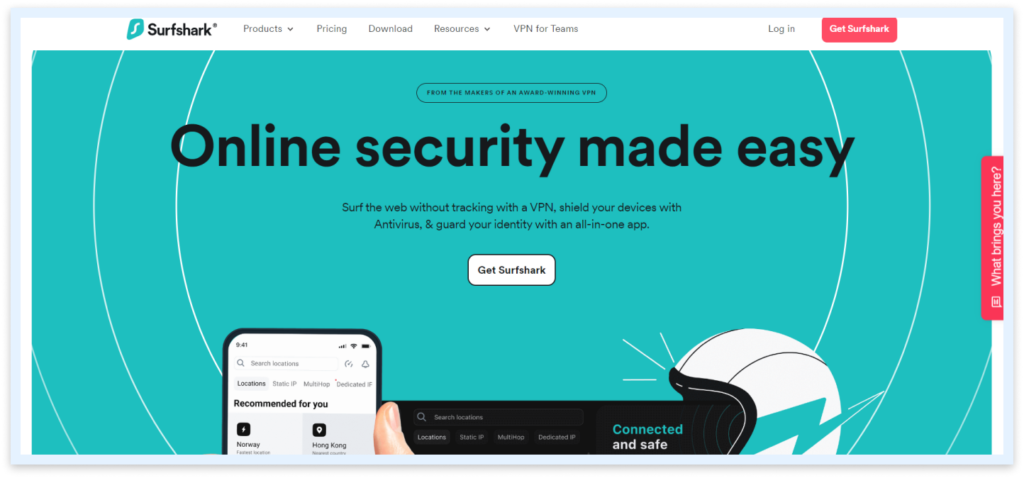
The VPN uses the WireGuard protocol, which does not slow down your internet speed, resulting in smooth and lag-free streaming.
It also employs a P2P file-sharing model and encrypts users’ data using a solid 256-bit AES encryption. Other modern security features include a reliable Kill switch, leak protection, multihop, split tunneling, and several others. You can get its premium features for just $2.19/month and can use the VPN service on unlimited devices.
4. ExpressVPN
Features
-
AES-256-GCM encryption
-
 No log policy
-
 Private browsing
-
Protection against IP and DNS leaks
-
Malware protection
Pros and Cons
- Effective IP masking
- Great speeds
- Connect up to 8 devices
- Smart DNS
- Relatively expensive
ExpressVPN is another Roku VPN that allows you to access your favorite shows and movies abroad. The VPN boasts 3,000+ servers spanning 107 countries to help you unblock popular movie streaming platforms.
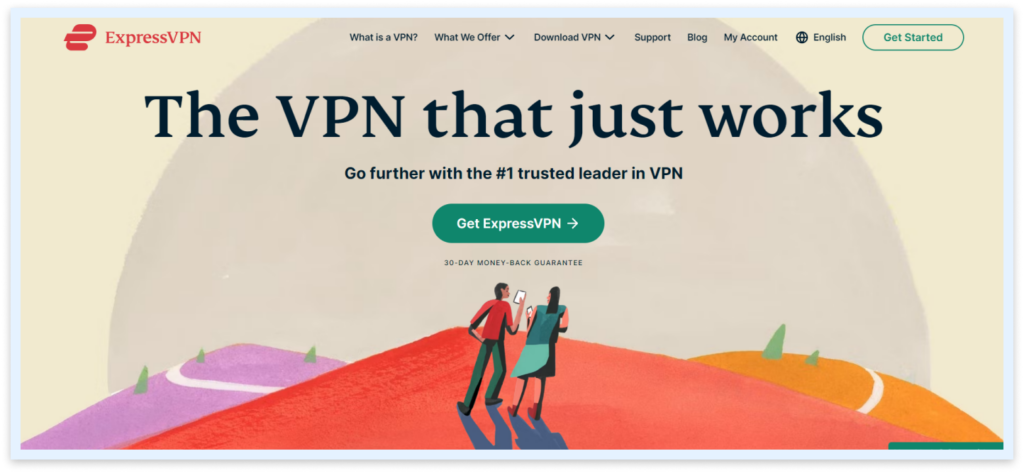
The VPN service ensures your privacy and security with its standard AES-256-GCM encryption. With ExpressVPN, you can also say goodbye to lags and frustratingly slow speeds. Its innovative Lightway tunneling protocol lets you enjoy smooth streaming.
Furthermore, the VPN lets you connect up to 8 devices simultaneously. It is compatible with multiple operating systems, so you can enjoy unlimited access to your favorite platforms, like BBC iPlayer, YouTube, Netflix, or Hulu, by setting up ExpressVPN on a router or installing its application on your streaming device.
5. Proton VPN
Features
-
No logs policy
-
Netshield
-
IP and DNS leak protection
-
Kill switch
-
Strong privacy encryption
Pros and Cons
- Suitable for new VPN users
- Fast speeds
- Secure and private
- Swift customer assistance
- Only a few servers are available in the free version
Proton VPN is another excellent free Roku VPN that unblocks your favorite content. The VPN service offers an added layer of ad blocker security, which protects you while streaming. Other privacy solutions, like its 256-bit AES encryption, split tunneling, and IP/DNS leak protection, ensure a robust protection experience.
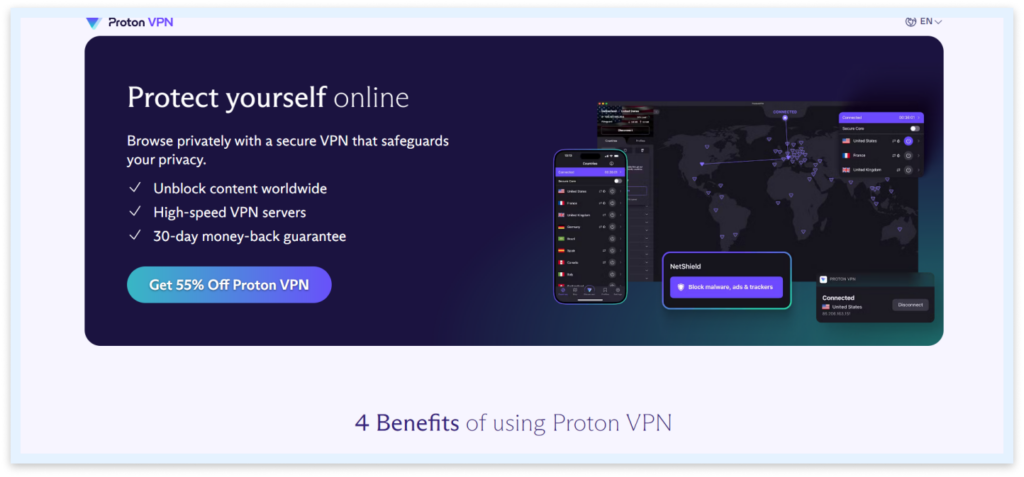
If you are on a budget and can’t afford a premium VPN, Proton VPN is for you. The VPN offers robust privacy and security features, letting you bypass geo-restrictions and access the streaming content that you want. The VPN service is compatible with 10 devices, so you won’t have any issues while using it.
Comparison of the best VPNs for Roku
| VPN service | NordVPN | ExtremeVPN | Surfshark | ExpressVPN | Proton VPN |
|---|---|---|---|---|---|
| Servers | Over 8000 servers in 120+ countries | 6,500+ servers in over 78 countries | 3,200+ servers in over 100 countries | 3,000 servers in over 107 countries | Over 1,200 servers in 120+ countries |
| Unblock Roku | Yes | Yes | Yes | Yes | Yes |
| Streaming platforms | Amazon Prime, Netflix, YouTube, Disney+, Hulu, BBC iPlayer | Amazon Prime, Netflix, YouTube, Disney+, Hulu, BBC iPlayer | Amazon Prime, Netflix, YouTube, Disney+, Hulu, Max | Amazon Prime, Netflix, YouTube, Max, Disney+, Hulu, | Netflix, Amazon, Prime, Hulu, Video, Disney+, BBC, iPlayer |
| Price ($/month) | 3.09 | 3.29 | 2.49 | 6.67 | Free/Premium |
How we selected the best VPNs for your Roku device: Our testing methodology
We had to explore various options before picking out the best VPN services for Roku. Below are the factors we consider before selecting a VPN:
- Speed: Regarding streaming, the last thing you wouldn’t want to work on is slow speeds and buffers. This is why we prioritized VPNs with impressive speeds.
- Ability to unblock more streaming services: What is the point of using a VPN service with your Roku device if it cannot give you complete access? Therefore, we only selected VPNs that can unblock multiple streaming services on Roku.
- VPN installation: The VPN installation process for your Roku device can be confusing as you have to set up the VPN on your computer or router. So, we chose VPN services that include a simplified installation process. Also, our selected VPNs have a Smart DNS feature that makes installation and use more seamless.
- Security: We only selected VPNs offering high-grade encryption and multiple privacy features so that the VPN can protect the user from prying advertisers who may be interested in their data.
- Price: We included affordable premium VPN services and free VPNs, giving users access to geo-blocked content. We did so because not all streaming enthusiasts can afford expensive premium VPNs.
- Compatibility: We included VPNs that are compatible with various operating systems and devices. Each VPN in our list will run smoothly on any popular operating system and with a router.
Can you use a free VPN with Roku?

Several free VPNs offer just as much access as any paid premium service, but with fewer features, pairing your Roku device with a free VPN isn’t advisable. For one, free VPNs cannot boast of user safety and privacy. Consequently, you risk having your data collected simply by using a free VPN service.
Free VPNs also do not include features like Smart DNS, making installation and overall usage easy. There is a difference between the features and quality of free and premium VPN services. However, if you’re on a budget and require quality VPN service without paying, so you can use services like Proton VPN.
VPNs to avoid with Roku
While VPNs are generally a great way to bypass geo-restrictions, not all VPNs are a smart choice for Roku. Some VPNs do not provide the security and performance level needed for Roku devices like the best VPNs on our list, so you should avoid them. Some VPNs to avoid include:
- Hola VPN: It is quite a stretch to call this service a reliable VPN, as instead of centralized servers, the developers have introduced a peer-to-peer module. This means the security and privacy policy on this VPN is insufficient for a Roku device.
- VPNBook: Any VPN service with a shady parent company is unsafe to use on your Roku device. This is the case with VPNBook. Although it has been known to provide configuration files for servers in OpenVPN. You risk having your data stolen when you use suspicious VPN services like VPNBook.
Is it illegal to use a VPN with Roku?
VPNs are fast becoming a staple in the modern tech space. Users who largely want to protect their data and increase their privacy on the internet have turned to VPNs as the best solution.
While using a VPN service is largely considered legal in most countries, many people wonder about the legal consequences of using any VPN service on devices like Roku and other streaming routers. Unfortunately, Roku’s terms of service discourage users from using VPNs. This is largely due to content distribution laws and security concerns.
However, by properly using a reputable VPN, you can safely stream your favorite movies and TV shows unnoticed. Therefore, we recommend using top-notch VPNs like NordVPN with your Roku device.
How to install a VPN on a Roku device
VPNs are not supported on Roku devices; they are an absolute necessity if you are going to enjoy unlimited access. There are alternative methods you can employ to use your trusted VPN service to unblock any streaming platform that is restricted in your region. These methods include:
Use a hotspot connection to share your VPN service
To use the VPN service on your Roku device through a hotspot or Wi-Fi connection, you will need to install the VPN on your laptop. Now, establish a mobile hotspot connection that you can share with your Roku device.
Here’s how to do it:
On MacOS
- Set up a reliable VPN on your Mac, preferably one with L2TP/IPsec.
- Navigate to Internet sharing in your System preferences on your Mac computer.
- Next, select the VPN connection without yet turning on Internet sharing. Proceed to click on the WiFi box and set an appropriate password.
- You can now turn on Internet sharing and connect to the VPN.
- Then simply connect your Mac computer to your Roku device through WiFi and enjoy your unlimited access.
On Windows
- Click on the Settings option and navigate to Mobile hotspot in Network and Internet.
- Proceed to turn on the Mobile hotspot in Wi-Fi.
- Still in Network and Internet, navigate to More Network Adapter under Advanced Network Settings and select Properties by right-clicking on Windows Adapter.
- Share the VPN connection with your Roku device, click on the option to Allow other network users to connect through this computer’s Internet connection in the Sharing tab.
- There should then be a hotspot connection to which you can connect and begin enjoying unlimited access on your Roku device.
Use the Smart DNS feature
Another way to utilize your VPN service on your Roku device is to use Smart Domain Name Servers. These servers help route a substantial amount of your traffic through them, which boosts the speed of your internet connection and your device’s overall performance.
To use Smart DNS with Roku, here’s what you need to do:
- Navigate towards the DNS on your router.
- Get two reliable DNS servers from your VPN service based in the country you want your current location to be changed to.
- Introduce the addresses of the DNS server in the Roku device settings.
Install a VPN on a router
The process of installing a VPN on your router can vary depending on the type of router you are working with. Some routers can be tricky, so it should be done carefully or with the help of an expert. You can also follow the support guide for the VPN you choose (all the VPNs we’ve recommended support all known routers). However, ensure the guide’s instructions are for your router.
If you are working with a router whose firmware is not supported by the VPN you plan to install, you can decide to reset it with the appropriate firmware. Ensure you do it right, however, as it could damage the router if done poorly.
Why is Roku blocked in some places?
It can be frustrating to be denied access to your favorite TV show or movie when you are on a trip abroad or when you relocate. This is often due to certain countries blocking the Roku streaming service.
This geographical ban occurs because of restrictions on the distribution rights of movies or TV shows in that country. As a result, users will not be shown that TV show or movie while they are in that country or region.
Troubleshooting problems while using a VPN
Here are some common challenges users face and how to tackle them while using a VPN service:
- IP address isn’t hidden: If you notice your IP address is unchanged and still visible while running your VPN, you are probably using the wrong settings. Navigate to your VPN settings and select the right VPN protocol. Also, you should open all available ports and check if there’s a button to mask your IP address. If the problem persists, you can try using a different server.
- Unable to connect to your VPN: If you have any problems connecting to your VPN to any of the available servers, you may be experiencing downtime on your internet connection. Try rebooting your internet connectivity or device to ensure you are properly connected to the Internet before connecting to any VPN server.
- VPN is too slow: If your VPN is not responding as it should, connect to the nearest VPN server or try connecting to a different VPN protocol. If either of these does not solve the problem, you may have a poor internet connection.
- Unstable VPN connection: If you keep getting disconnected after connecting to a VPN, the connection is unstable, and you run the same risk as if you weren’t using a VPN. To fix this, you must ensure your VPN account is not logged into another device. Also, you may need to test the strength of your internet connection. If it’s good and the problem persists, then disable the VPN on your device and reinstall it.
- VPN blocks: In some cases, certain streaming platforms like Netflix will block the use of VPNs by banning the IP addresses of most VPNs. If you notice that Roku has blocked your VPN usage, try a different server. If that doesn’t work, you may need to utilize a server or VPN protocol that masks traffic.
FAQs
The simple answer is no. Roku generally does not support the use of VPNs, and so users who desire complete access can install the VPN on a router or laptop and share it with Roku devices. You could also utilize the Smart DNS feature in pairing with your Roku device.
Absolutely Yes! NordVPN is a great option to unblock any geo-restricted content. All you need to do is simply set up the VPN directly with your router or on your computer and share via a hotspot to your Roku device.
Our top pick is NordVPN because it comes with a wide range of servers and premium features to guarantee maximum security.
After setting up the VPN on the router or laptop, you can change your country by selecting the country you want on the router or laptop and then resetting the Roku device so the new change reflects.
While it is not advisable for you to settle for a free VPN service when using your Roku device, there are some VPNs that are able to grant you access, like ProtonVPN and Windscribe.