
-
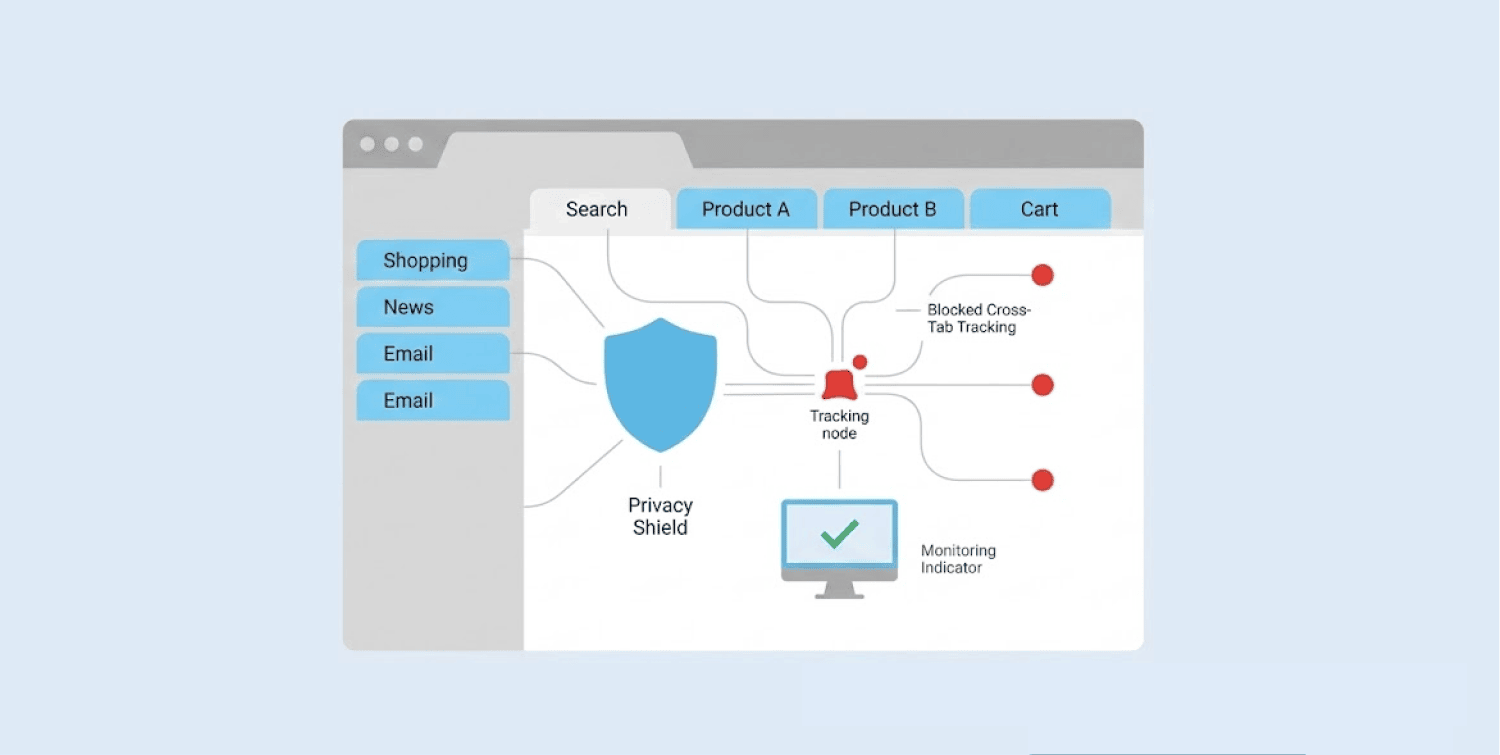
A new attack called FROST lets websites spy on your other open tabs and apps with no clicks or permissions needed.
-
The technique uses your SSD’s timing fluctuations and an AI model to identify activity with up to 96% accuracy.
-
Service providers like Google, Apple, and Mozilla all know about it but have done nothing to fix it; however, closing the malicious tab can stop the attack immediately.
Sites are getting smarter at snooping on people’s browsing secrets despite how careful users are. Security researchers have found a new method that malicious websites can employ to spy on you. This new attack can let the sites you visit record all your browsing info, even if you apply the right precautions. You don’t need to click or download anything.
How a website reads your hard drive’s mind
Researchers call this technique FROST. It stands for Fingerprinting Remotely using OPFS-based SSD Timing.
Every website and app you open leaves a unique pattern on your SSD, which is the storage drive inside your computer. It’s like walking in the snow. Each app leaves a different trail. A clever observer can tell where you’ve been just by looking at those prints.
FROST exploits a browser feature called the Origin Private File System, or OPFS. This feature quietly lets websites store files on your local drive. It doesn’t even request your permission first. And most users are unaware that such a threat even exists.
Here’s how the spying works. The attacker’s page creates a large file on your drive. Then it listens to tiny speed fluctuations. Those fluctuations happen when your SSD gets busy handling other tasks. Your SSD works like a busy waiter. When many tasks ask for things at once, the waiter slows down a bit. The attacker’s page measures those tiny delays.
An AI model then analyzes those fluctuations. Researchers trained the model to recognize the patterns of specific websites and apps. The AI learned what Netflix looks like versus what Gmail looks like. It can tell the difference between Spotify and Zoom.
The results are startling. The technique correctly identified visited websites with about 89% accuracy. That means nearly nine out of ten guesses were right. It spotted running apps with about 96% accuracy. Researchers tested this on an Apple M2 Mac.
Why is this attack different from others
Most online tracking needs your help. You might click a bad link. Also, download an infected file. You might grant permission without reading it carefully.
Not this time. Just visiting one page does the damage. No clicks. Also no downloads. No permissions. The attack runs silently in the background while you read the page.
The attack works across different browsers at the same time. Visiting the malicious page in Chrome can still expose what you’re doing in Safari. Your browsing activity isn’t safe just because you switched browsers.
Cross-browser spying will allow someone to see what you’re doing even if you change from one browser to another. It’s kinda like when someone who is watching your living room through a window can somehow also peek into your kitchen and your bedroom through that same window.
Browser vulnerabilities come in many forms. Microsoft Edge stores all saved passwords in memory in plaintext, another example of how browsers can expose sensitive user data. That’s what cross-browser spying feels like.
No fix available yet for the browser vulnerability
Here’s some good news. FROST hasn’t appeared in the wild yet. No one has spotted it being used actively. Researchers found it first, which gives us time.
The attack only works while the offending tab stays open. Close that tab, and the spying stops immediately. That’s your easiest emergency brake. You don’t need special software or technical skills.
Unfortunately, researchers have notified the providers, Google, Apple, and Mozilla, about this flaw, but none have made efforts to patch it up. The companies know about the problem. They just aren’t promising to solve it.
Browser-level fixes do exist on paper. One proposal would cap how much disk space OPFS can claim. Another would force websites to ask for permission first. A third would add random delays to hide real patterns.
But given the companies’ responses, don’t expect those changes anytime soon. The fixes might take months or years. They might never come at all.
How to protect yourself right now
The best way to stay safe is to stay watchful and monitor your storage space. If it declines suddenly without any known reason, then something’s wrong. Look into it ASAP.
The attack needs to write a large file to work. That file takes up space. If you see storage vanishing for no reason, something might be wrong.
Close tabs you aren’t using. The attack stops when the tab closes. Fewer open tabs mean fewer chances for spying. Pay attention to which sites you visit. Stick with trusted websites when you can. The risk comes from malicious pages, not from every site you use.
The scariest part? You don’t need to grant any permission. You don’t need to click anything special. Just visiting a single page is enough to expose your other activity.
Your hard drive might right now be quietly reporting your online activity to some stranger. The websites you visit? The apps you run? The services you use? Your SSD knows everything about your digital life, and if you don’t guard it well, it could just be the window through which attackers snoop on you.
And for now, the browsers that let this happen aren’t stepping up to stop it. The fixes exist. The companies know. But nothing is coming soon.
Stay careful out there. Close your tabs. Watch your storage. And remember that sometimes, just visiting a website tells someone more than you ever agreed to share.
